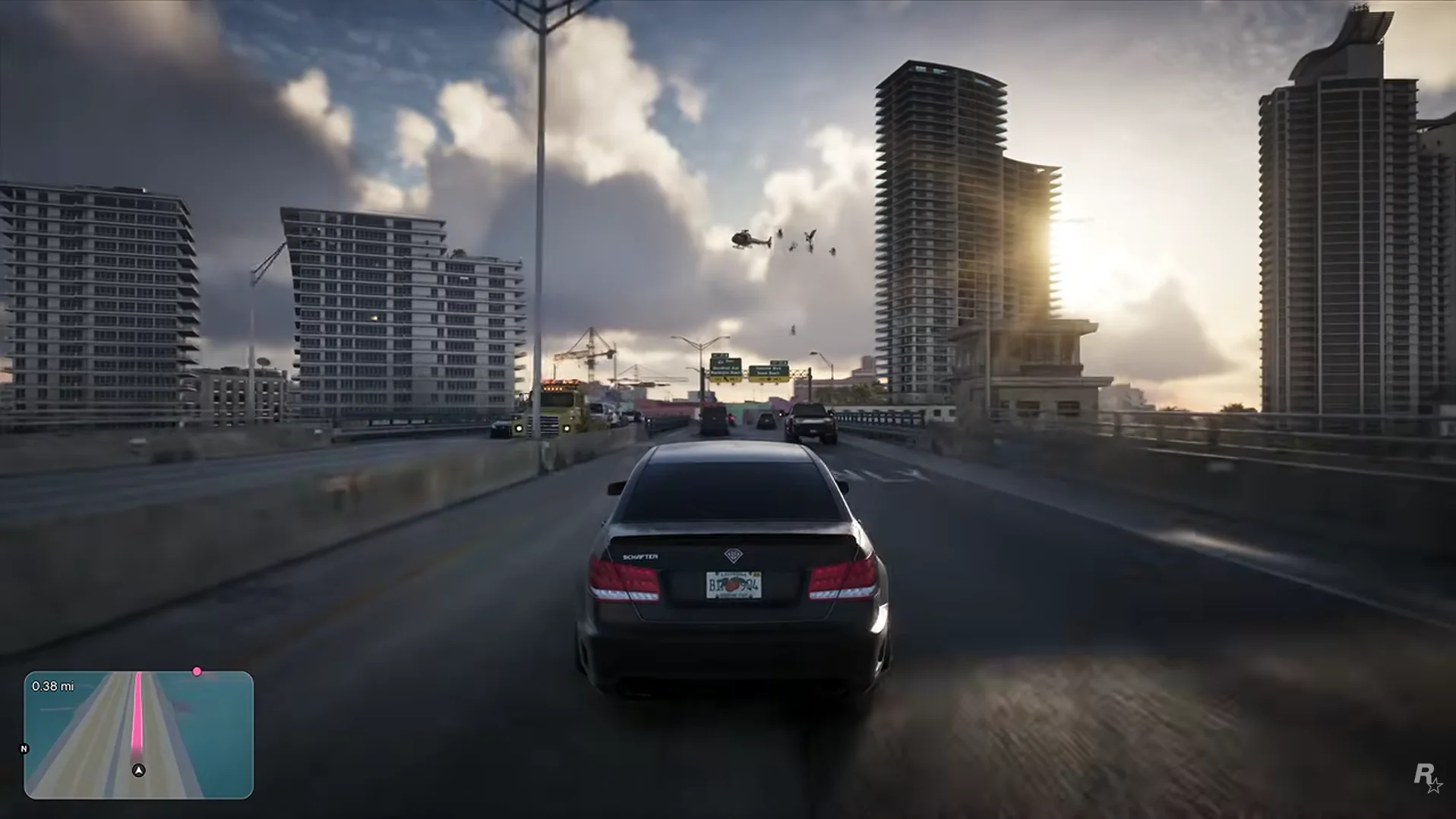
The revealed GTA VI interface is familiar enough to read immediately, but it is cleaner and more contextual than a permanent wall of information. The clearest footage shows a minimap during driving, wanted information during combat and direct prompts during a gym activity.
UI shown before release can change. This guide records visible elements and their context rather than presenting the current arrangement as final.
Driving minimap and route guidance
The minimap uses a rounded rectangular shape and displays a colored route, player direction, north marker and remaining distance. Surrounding roads stay subdued so the active path remains easy to follow.
Its size leaves a broad view of the highway. Exact zoom behavior, custom waypoints and alternate route selection have not been demonstrated.
Combat and wanted information
Wanted stars, several status icons, ammunition and a weapon silhouette appear in the upper right during the police encounter. Grouping urgent information in one area keeps the center available for aiming.
The ammunition values are readable, but the smaller icons need official explanation. Their presence should be recorded without assigning unsupported functions.
Activity prompts appear near the action
During the bench press, L2 and R2 prompts sit over the bar near Lucia's hands. The placement links each trigger to the physical action without requiring the player to look toward a screen corner.
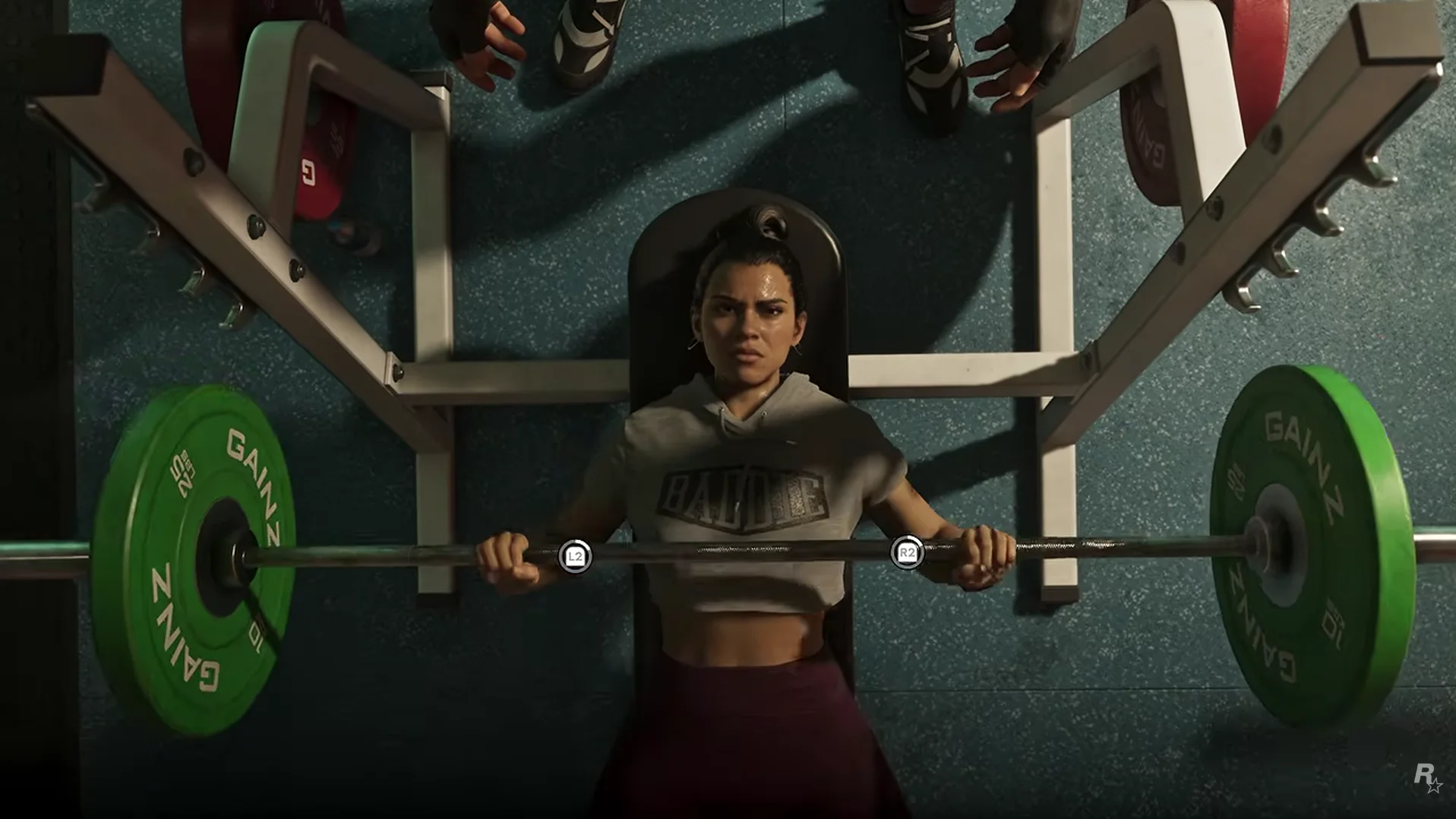
This contextual approach may be limited to selected activities. One sequence does not establish a universal interaction interface.
What may change before release
Icon art, spacing, colors and default visibility can all be adjusted during final development. Accessibility options may also change how much information appears.
The current footage is still valuable as a dated record. It shows Rockstar prioritizing information near its context and leaving most of the screen to the world.
Sources checked